
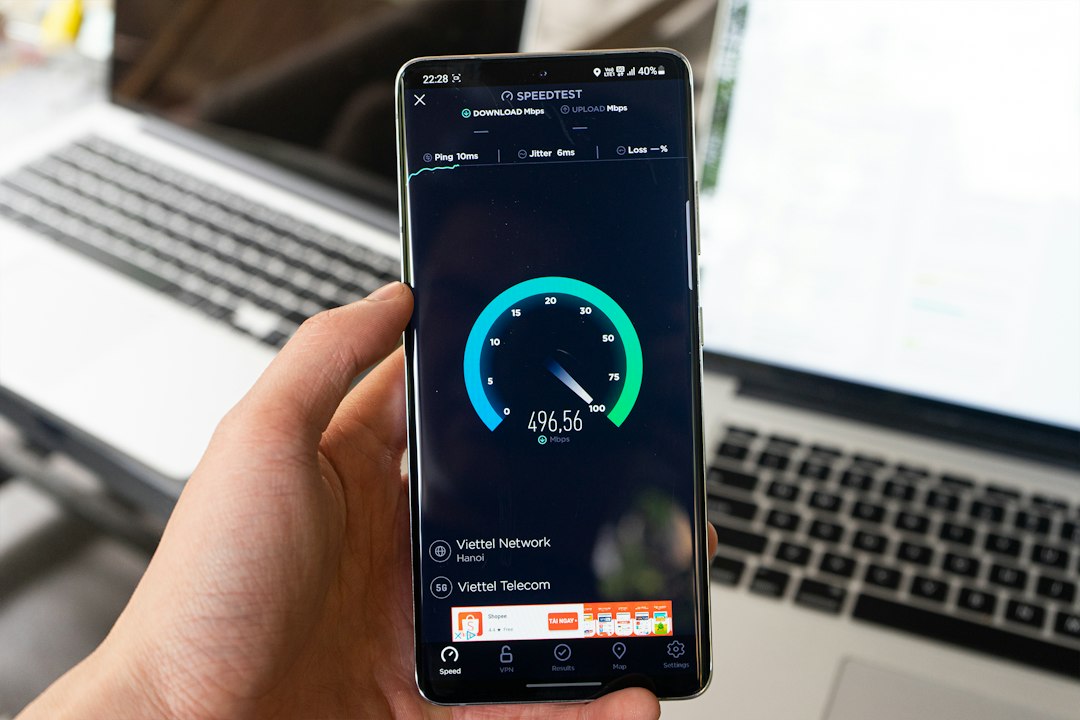
If you’ve ever turned on a VPN and suddenly felt like you were back on dial-up, you’re not alone. Speed loss is the number one complaint about VPNs — and it’s also the main reason people ditch them. The good news is that a well-built VPN should barely affect your connection. The problem is most people don’t know what to look for. This guide breaks it down simply so you can find a VPN that keeps your internet fast without sacrificing privacy.
Why Do VPNs Slow Down Your Internet?
When you connect to a VPN, your traffic is rerouted through an encrypted tunnel to a server somewhere else in the world. That process adds steps — and steps take time. The main culprits behind slowdowns are:
- Server distance: The farther the VPN server is from you, the more latency you’ll experience. Connecting to a US server from the UK will always be slower than connecting to one in London.
- Server load: If thousands of people are using the same server, speeds drop. Overcrowded servers are common with free or budget VPNs.
- Encryption overhead: Stronger encryption takes more processing power. Older VPN protocols like PPTP are fast but weak. Modern protocols like WireGuard are both fast and secure.
- Your base connection speed: A VPN can’t speed up a slow internet connection. If your ISP is throttling you, a VPN might actually help — but that’s a separate issue.
What Makes a VPN Fast?
Not all VPNs are built the same. Here’s what separates a fast VPN from a sluggish one:
Modern protocol support: Look for WireGuard or a proprietary equivalent. WireGuard is currently the fastest VPN protocol available. NordVPN uses its own implementation called NordLynx, which is built on WireGuard and consistently ranks as one of the fastest options in independent speed tests.
Large server network: More servers mean less congestion. VPNs with thousands of servers across multiple locations give you more options to find a fast, nearby connection.
No bandwidth throttling: Some VPN providers limit your speed after a certain amount of data. A quality paid VPN should never throttle your bandwidth.
RAM-only servers: This is more of a privacy feature, but providers that invest in premium infrastructure for privacy tend to invest in speed too.
How Much Speed Loss Is Normal?
Even the best VPN will cause some speed reduction — usually between 5% and 15% on a fast connection. Anything under 20% is generally unnoticeable during everyday browsing, streaming, or IPTV use. If you’re losing 50% or more of your speed, something is wrong — usually the server location, the protocol being used, or simply a bad VPN provider.
If you use IPTV services and want to test whether your playlist is performing well with or without a VPN, you can use the M3U playlist checker to quickly identify which channels are buffering or dropping out.
Tips to Get the Fastest VPN Speeds
- Always choose the nearest server to your physical location for the lowest latency.
- Switch to WireGuard in your VPN settings if it’s available.
- Avoid free VPNs — they’re slow, overcrowded, and often log your data.
- Use a wired connection instead of Wi-Fi when possible. VPN encryption is more taxing on a weak wireless signal.
- Restart your router before connecting if you notice unusually slow speeds.
The Best VPN That Won’t Slow You Down
Based on independent speed tests and real-world performance, NordVPN consistently comes out on top for users who need speed without giving up security. It uses NordLynx (WireGuard-based), has over 6,000 servers in 111 countries, and doesn’t limit your bandwidth. For IPTV users, streamers, and anyone who wants privacy without the lag, it’s hard to beat. You can try NordVPN (try it free for 30 days) and see the speed difference yourself.
If you’re also dealing with geo-blocks or regional restrictions on your IPTV service, check out our guide on the best VPN for IPTV to find the right setup for your streaming needs.
Stop Blaming Your VPN — Start Choosing a Better One
A VPN that slows your internet to a crawl isn’t doing its job properly. The right VPN should be nearly invisible in terms of speed — you set it, forget it, and stay protected. If you’re currently dealing with painful slowdowns, the fix is usually switching protocols, picking a closer server, or ditching a bad provider entirely. Modern VPNs like NordVPN are built for speed-first performance, and most users find they barely notice it’s running. Give it a proper test before writing off VPNs altogether — the difference between a bad VPN and a good one is night and day.